
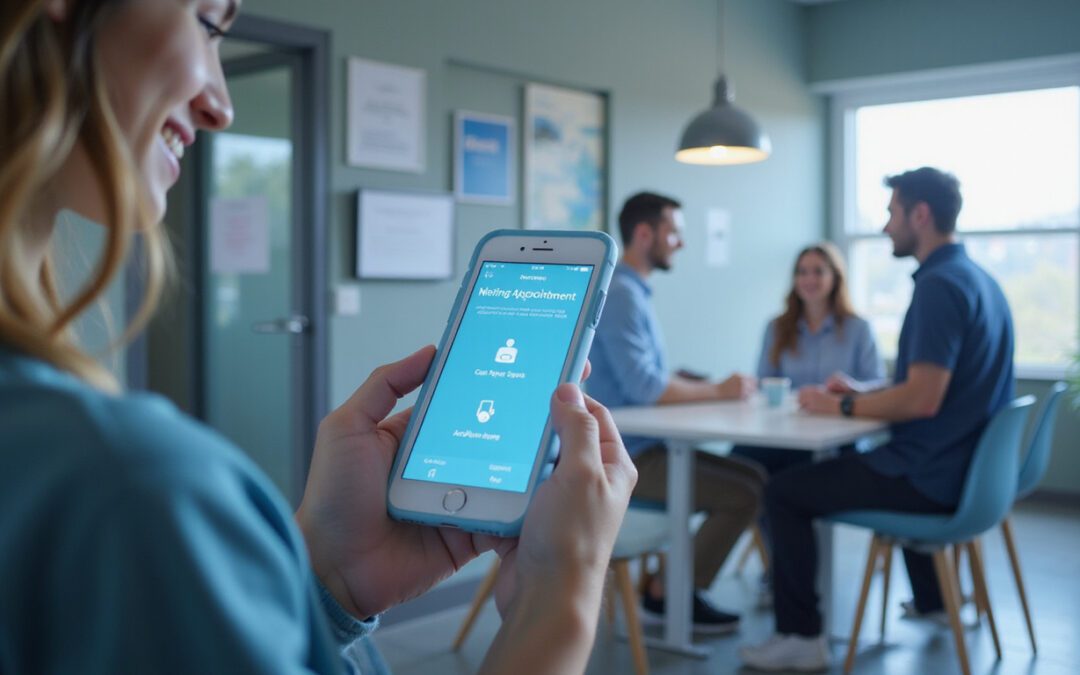
If you run a clinic, a salon, a legal practice, or any appointment-based business, an appointment reminder service works best. It cuts no-shows and recovers lost revenue. The system nudges clients to confirm, reschedule, or cancel early so you fill gaps fast. This article shows why reminders work, what features matter, and how you deploy a program that earns ROI in weeks.
Why no-shows are more damaging than you think
Missed appointments hurt you directly. They waste time and lower revenue. No-show rates vary by industry; they range from 5% to 30% or more. Each missed slot wastes a practitioner’s time, lowers utilization, and costs you money now and in the future. No-shows also disrupt schedules, lower morale, and add rebooking or refund headaches.
A targeted reminder service cuts this waste. It lowers uncertainty for both clients and providers. Studies show SMS and automated calls lower no-show rates and boost attendance (source: https://www.ncbi.nlm.nih.gov/pmc/articles/PMC3173494/).
How an appointment reminder service reduces no-shows
Reminders work because they fix common issues like forgetfulness, schedule conflicts, or unclear details. An effective service does three key things:
• It sends the right message at the right time over a client’s chosen channel (text, email, or voice).
• It lets clients interact directly so they confirm, cancel, or reschedule without making a call.
• It links with your scheduling system to update availability in real time and trigger follow-ups.
When a client gets a friendly and timely reminder, they can easily confirm or change plans. Automated confirmations and rescheduling lower last-minute cancellations and let you refill openings fast.
Key features to look for in a reminder solution
Choose a system that connects words and actions closely. Look for these features:
• Multi-channel reminders (SMS, email, voice, push notifications).
• Two-way messaging for confirmations, cancellations, and reschedules.
• Calendar and EHR/CRM integration to keep schedules in sync.
• Custom templates, timing, and frequency set per appointment type.
• Automated confirmations with follow-up reminders near the appointment time.
• Reporting and analytics to track no-show trends and ROI.
• HIPAA or GDPR compliance if you handle protected data.
• Easy setup and strong support for fast implementation.
A checklist for fast implementation
Deploy reminders quickly with this step-by-step plan. Get started in days, not months:
- Pick a vendor and sign up for a trial that works with your calendar.
- Import your appointment data and group it by appointment type (new patient, follow-up, long session).
- Choose your channels (SMS is usually best) and write clear message templates.
- Set reminder times—a common plan is a confirmation 7 days out, a reminder 48 hours out, and a final reminder 2–6 hours before.
- Enable two-way messaging with simple links for rescheduling.
- Train staff on handling last-minute cancellations and refilling openings.
- Review results and adjust message text and timing as needed.
Real-world results and ROI you can expect
Most businesses see fewer no-shows after they adopt automated reminders. For example, clinics often lower no-show rates by 30–50% in a few months. This drop recovers direct revenue: if a provider with a 20% no-show rate cuts it to 10%, they may fill a full day’s appointments each week or save thousands each month.
Other benefits include:
• Higher client satisfaction from smoother communication.
• Better staff efficiency and happier teams.
• More predictable schedules that improve resource use.
• Data that helps plan peak times and needed staff.
Monitoring and optimizing performance
To get the best results, measure what matters:
• Compare no-show rates for each appointment type before and after reminders.
• Track confirmations and cancellations at each touchpoint.
• Measure the time between a cancellation and when a slot is refilled.
• Calculate recovered revenue versus the cost of reminders.
Use these numbers to adjust timing, frequency, and channels. For example, if SMS confirmations are high but last-minute cancellations rise, add a final short reminder with a yes/no reply option.
Common integrations and technical considerations
Success relies on integration. Look for a solution that connects with your practice management software, EHR, CRM, or Google Calendar. API connections help trigger reminders automatically when new bookings or reschedules occur. Security and compliance matter when handling sensitive data. Always check that the vendor meets HIPAA (in the U.S.) or other relevant privacy rules.

Cost considerations
Many appointment reminder services use subscription fees plus per-message costs for SMS or calls. Compare bundled plans that include many messages against pay-as-you-go rates. A simple break-even calculation helps: (Recovered appointments × average revenue per appointment) minus platform costs equals net gain. Many small practices cover reminder fees with one or two recovered visits per month.
Bulleted quick win strategies
• Use SMS as the primary channel for high open rates.
• Keep messages short; add date, time, location, and a link to reschedule.
• Offer a simple “Reply 1 to confirm / 2 to cancel” setup.
• Send a final reminder a few hours before appointments.
• Automate follow-up messages for no-shows to rebook quickly.
Frequently asked questions (FAQ)
Q: What is an appointment reminder service and how does it help my business?
A: It is a tool that sends automated notifications about upcoming appointments using SMS, email, voice, or push alerts. It reduces forgetfulness and last-minute no-shows. This tool improves attendance and helps recover lost revenue by making confirmations and rescheduling easy for clients.
Q: How do appointment reminder services work with my current scheduling software?
A: They usually integrate with popular scheduling and management platforms by using direct connectors or APIs. They sync appointments in real time, trigger reminder campaigns by your rules, and update appointment status when clients confirm or cancel.
Q: Are automated appointment reminders effective across industries?
A: Yes. They work in healthcare, beauty, legal, financial services, and many other areas. The key is to tailor timing, message style, and communication channels to the preferences of your audience.
Conclusion — take action and stop losing revenue
An appointment reminder service is a fast and cost-effective tool to reduce no-shows and boost revenue. With an easy setup, measurable results, and clear ROI, reminders turn uncertain schedules into steady, profitable ones. If you want to reclaim lost appointments and make your calendar work better, try a modern reminder platform, integrate it with your schedule, and check your results within weeks. Do not let another appointment go unfilled—start with reminders today and see no-shows drop while revenue climbs.
